This site uses cookies.
Some of these cookies are essential to the operation of the site,
while others help to improve your experience by providing insights into how the site is being used.
For more information, please see the ProZ.com privacy policy.
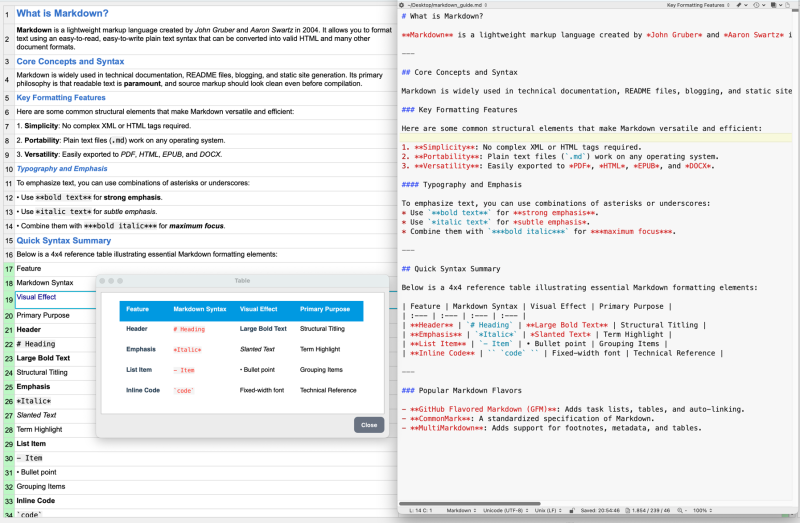
I am working on a test for a new client who sends me markdown files. Trados (my preferred tool) kind of works but is not handling this format as well as it should. That's why I tried memoQ.
Here, I can import the markdown files as text only but of course then all the marks come up as regular text. Manageable but not helpful. Still, memoQ handles the file format better than Trados, so I'd like to find a way of importing the files properly to have the marks as ... See more
Hi there,
I am working on a test for a new client who sends me markdown files. Trados (my preferred tool) kind of works but is not handling this format as well as it should. That's why I tried memoQ.
Here, I can import the markdown files as text only but of course then all the marks come up as regular text. Manageable but not helpful. Still, memoQ handles the file format better than Trados, so I'd like to find a way of importing the files properly to have the marks as actual tags.
I see that newer versions of memoQ have a markdown filter but my version doesn't (translator.pro 10.0.10 – because I have been working a lot less for the agency that I mainly used it for, at some point upgrading made no sense).
Is there anywhere I can download a markdown filter for memoQ?
The contents of this post will automatically be included in the ticket generated. Please add any additional comments or explanation (optional)
Li-Hsiang Hsu Fransa Local time: 07:29 French to Chinese + ...
Pandoc
Jul 30
Hi Katja,
You may try Pandoc: https://pandoc.org/app/
If your CAT tool supports HTML, you may convert the .md file into .html, translate the text with your CAT tool. Finally, use Pandoc to convert the CAT HTML output back to .md.
Generally, your formating, hyperlinks and structure will be kept this way.
Otherwise, converting the .md file into .docx is fine too.
Hope it is helpful.
Subject:
Comment:
The contents of this post will automatically be included in the ticket generated. Please add any additional comments or explanation (optional)
Li-Hsiang Hsu Fransa Local time: 07:29 French to Chinese + ...
Let AI handle the Markdown
Jul 30
If you don't mind using an LLM for the translation, you can send the text as it is to an LLM with a clear instruction: "You must preserve ALL Markdown elements and syntax. Translate only the human-readable text." LLMs understand and handle Markdown perfectly. And you will get a .md translated with the original formating.
Jorge Payan
Subject:
Comment:
The contents of this post will automatically be included in the ticket generated. Please add any additional comments or explanation (optional)
- Convert your Markdown files to XLIFF using XLIFF Manager
- Translate the XLIFF with your favorite CAT tool
- Merge the translated XLIFF back to Markdown using XLIFF Manager
- Deliver the translated Markdown
Regards,
Rodolfo
Jorge Payan
Subject:
Comment:
The contents of this post will automatically be included in the ticket generated. Please add any additional comments or explanation (optional)
Create customer quotes and invoices from within Trados Studio
Trados Business Manager Lite helps to simplify and speed up some of the daily tasks, such as invoicing and reporting, associated with running your freelance translation business.
Check translations faster for consistency, quality and style guide compliance
PerfectIt helps professional translators deliver error-free documents in Microsoft Word and PowerPoint. It helps improve consistency, ensure quality, and enforce style guides. ProZ members receive a 30% discount off individual purchases of PerfectIt.