This site uses cookies.
Some of these cookies are essential to the operation of the site,
while others help to improve your experience by providing insights into how the site is being used.
For more information, please see the ProZ.com privacy policy.
John Fry United States Local time: 04:38 Japanese to English + ...
Jul 26
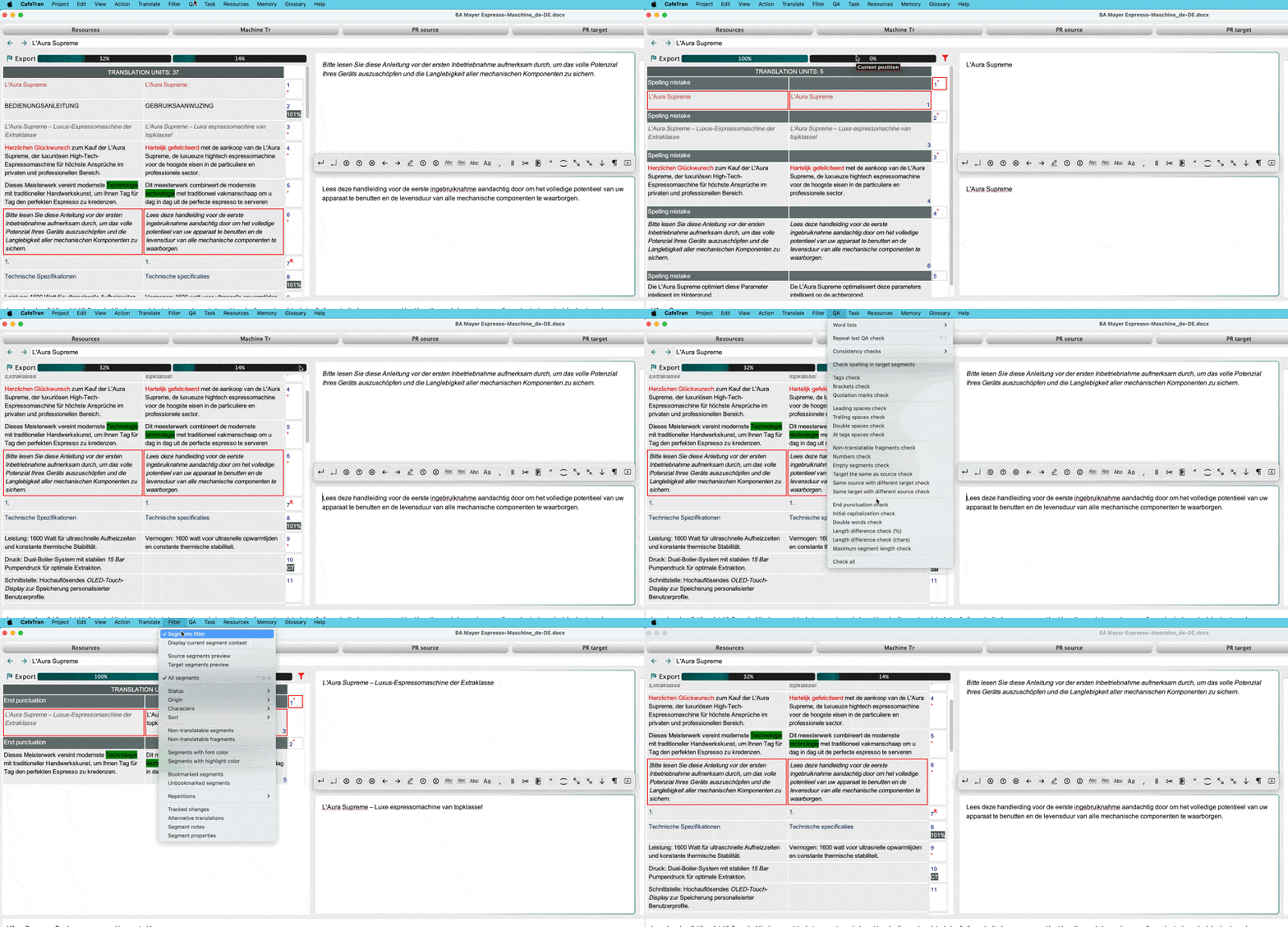
When I run QA, the grid view (source on left, target on right) switches to a "QA mode" where the header says "TRANSLATION UNITS: 5" (or whatever number) and only the segments that have QA issues are shown. When I'm done with QA, how do I return back to the original grid showing all the segments? Unable to escape from this "QA mode", I've been quitting CafeTran and restarting it, which obviously is not ideal.
Taran Johnston
Subject:
Comment:
The contents of this post will automatically be included in the ticket generated. Please add any additional comments or explanation (optional)
Filter - Segments filter = Toggle the usage of the segments filter, which enables displaying only the segment pairs matching the criteria below. Can also be done via the dedicated shortcut and the Filter icon in the Segments grid.
[Edited at 2026-07-27 05:54 GMT]
Subject:
Comment:
The contents of this post will automatically be included in the ticket generated. Please add any additional comments or explanation (optional)
Edit Translations Faster With Affordable AI You Can Trust
Draftsmith is an affordable AI editing tool for busy translators. It works directly in Microsoft Word, supporting the way you work
ProZ members receive a 20% discount on a single user subscription of Draftsmith.
Pastey is an innovative desktop application that bridges the gap between human expertise and artificial intelligence. With intuitive keyboard shortcuts, Pastey transforms your source text into AI-powered draft translations.